Revising
Make room for the next version.
A revision continues the same piece while preserving the earlier manuscript and its feedback.
Step 01
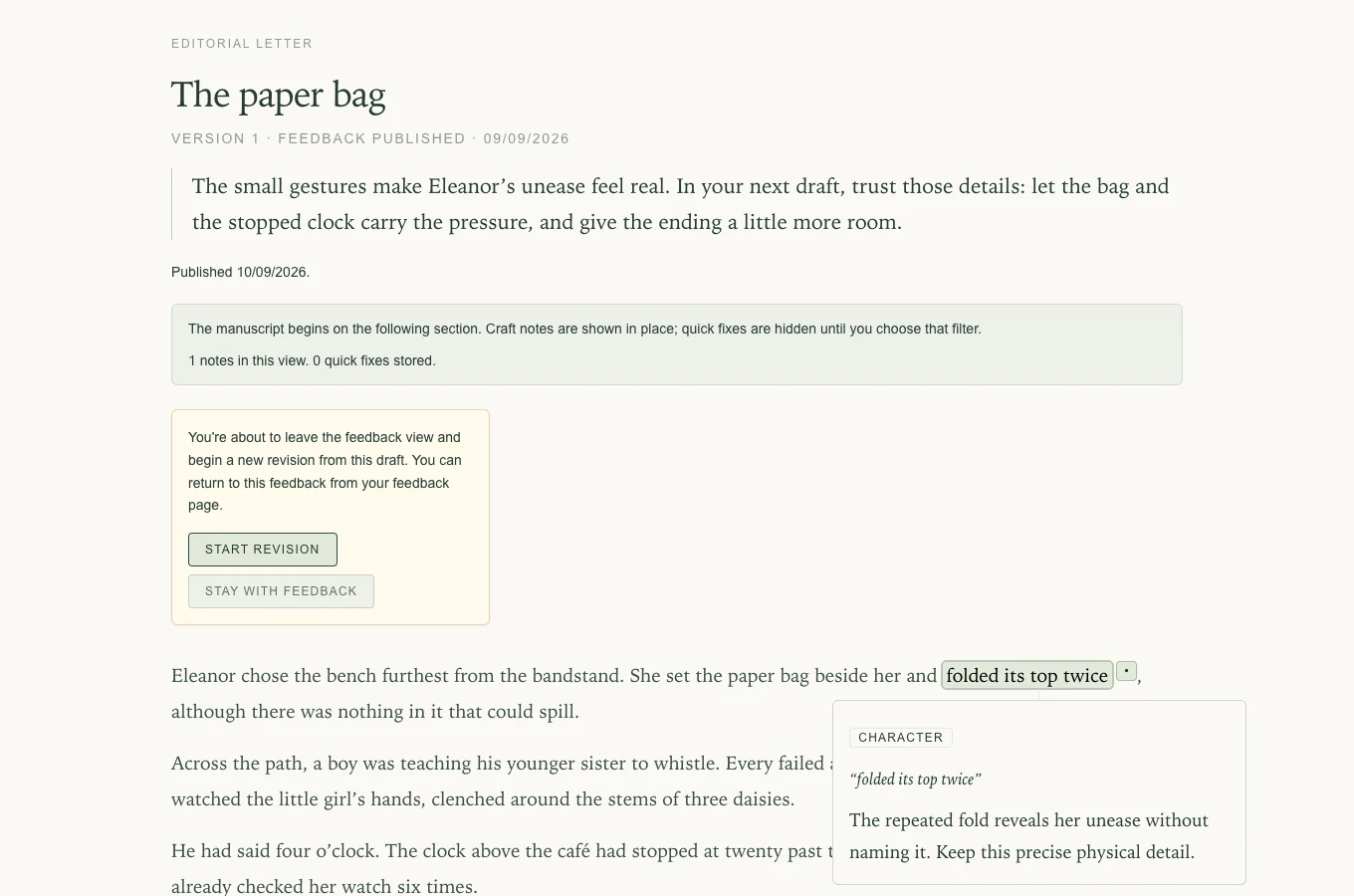
Begin from the returned piece.
Choose Start a new revision in the feedback view. Confirm when you are ready to leave the reader and work on the next draft.
Step 02
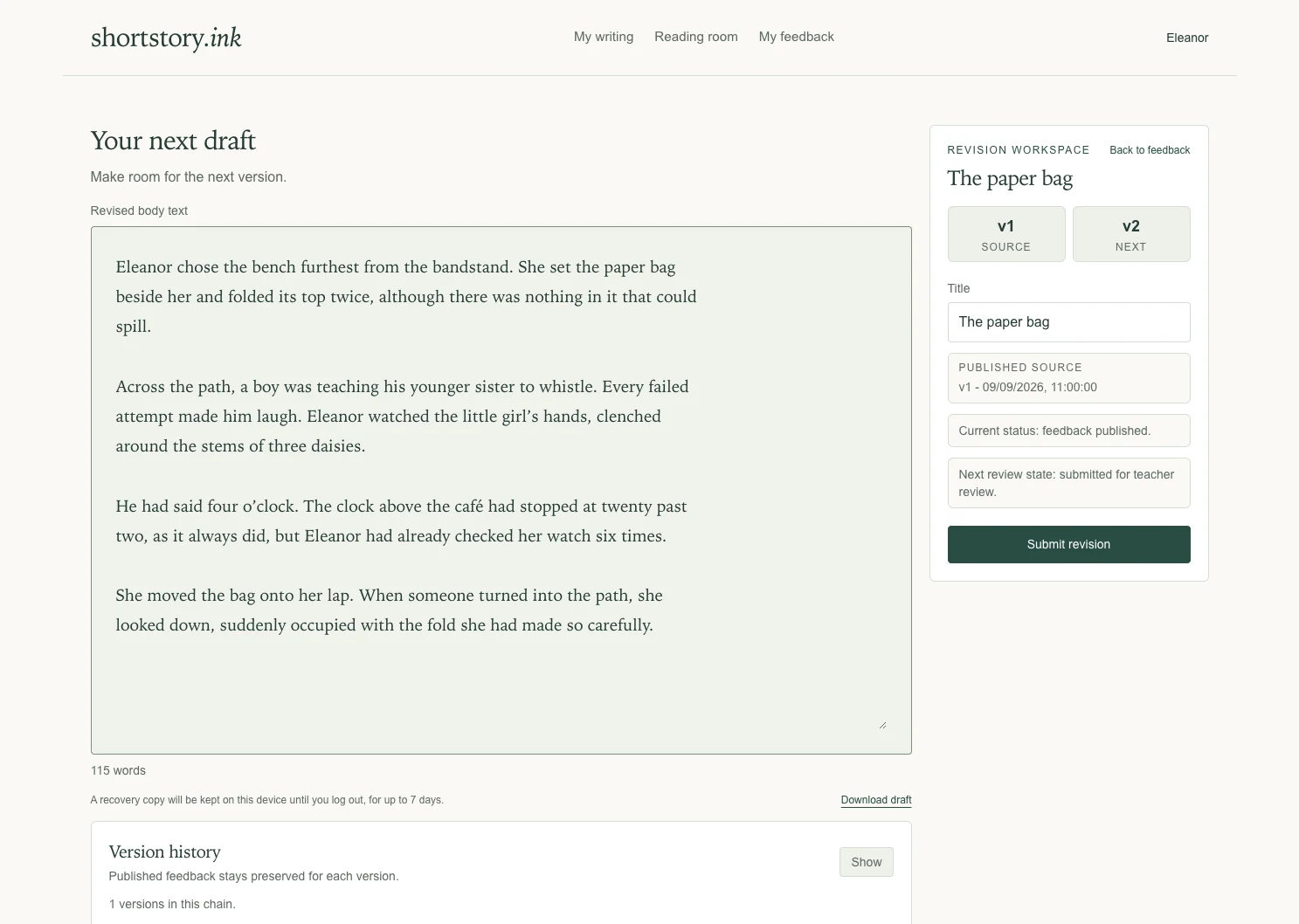
Work on the next draft.
The revision workspace shows the source version and the next version. Edit your text and title, then choose Submit revision when it is ready for another reading.
Submitting creates the next version in the same chain. It does not overwrite the earlier feedback.
Step 03
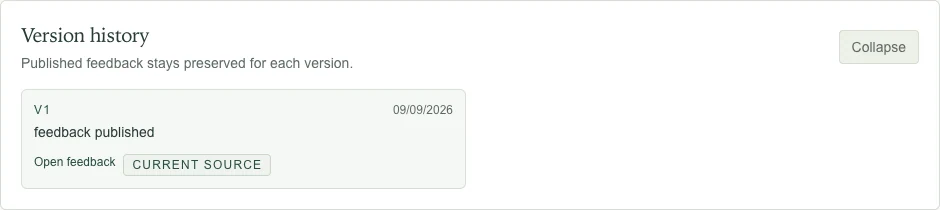
Keep your history close.
Open Version history to return to earlier feedback. Each published response remains with the version it describes.
When you are ready
Optional: how feedback works →